
Flymat: Live Flight Tracker
Wallet Passes AllianceTravel & Local
4.368.00 Reviews
- Version
- 2.1.2
- Installs
- 1.00M
- Age Rating
- Everyone
Screenshots

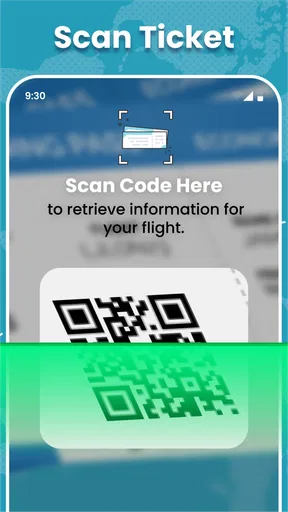

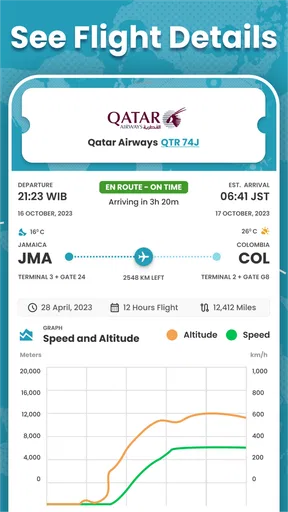

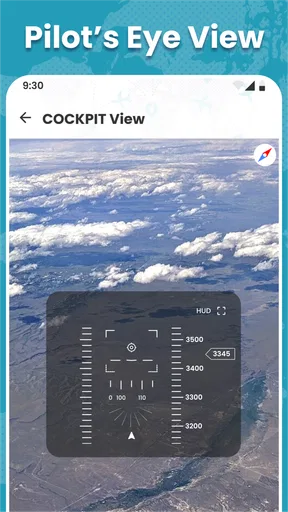


Our Review of Flymat: Live Flight Tracker
 Analysis by Appyee
I’d think of Flymat: Live Flight Tracker first as a quick way to make flight movement visible, rather than as a replacement for every airline or airport tool. Its appeal is easy to grasp: open a map, follow aircraft, and get a better sense of what is happening in the air. That can be useful when you are waiting for someone, planning around a flight, or simply curious about the planes overhead. The trade-off is that a live map is most valuable when you want a broad, visual view; for precise trip management, I would still keep the airline’s own updates close by.
Where a live map earns its place
A map answers a different question from a boarding pass or a departure board. Instead of only telling me a flight’s listed status, it gives me a visual reference for where aircraft are moving and how routes fit together. That makes the experience particularly satisfying when a traveler is en route and someone at home is trying to understand whether the journey is progressing. It is also a more engaging way to follow aviation than repeatedly refreshing a text-only status page.
For a practical arrival-day routine, I would use a tracker as one part of the plan: check the flight while getting ready to leave, then look again before heading to the airport. That can help a pickup person avoid sitting in a crowded arrivals area too early. I would still confirm changes through the airline or airport, because a map is a helpful overview, not a substitute for instructions about check-in, boarding, baggage, or terminal procedures.
How it fits alongside familiar travel tools
Compared with a typical airline app, a flight tracker is appealing when you want to watch aircraft movement without navigating a specific booking first. Airline apps are usually the better home for ticket details, check-in tasks, and messages tied directly to your reservation. Airport boards are better when you are physically at the terminal and need a quick official-looking list of departures or arrivals. A live map sits between those options: more visual than a board, and potentially more useful for following a flight you are not booked on.
That distinction matters if you are choosing just one app. If all you need is a gate notice for your own trip, the airline’s app may be enough. If you often coordinate pickups or enjoy seeing routes unfold, a map-based tracker can be a worthwhile companion. I would not treat either type of tool as infallible: flight information can change, and for decisions that affect a connection or a pickup, checking the carrier’s latest communication is the sensible final step.
There is also a useful way to avoid turning tracking into a distraction. Search for the flight you care about before the busy part of the day, then use the map as a check-in rather than staring at it continuously. For someone meeting a traveler, the goal is not to predict every minute of the journey; it is to get enough context to time the trip to the airport more comfortably. That small shift makes a live tracker more practical and less like a screen you keep refreshing out of habit.
First Impressions and User Interface
Upon launching Flymat: Live Flight Tracker, the first thing that caught my eye was its sleek and intuitive interface. It's like the developers knew that simplicity is key when it comes to tracking flights. The main screen greets you with a real-time map dotted with planes, all moving at their respective altitudes and speeds. And yes, it’s as cool as it sounds.
The app’s user-friendly design makes navigation a breeze. You’ll find various options neatly tucked away in the menu, accessible with just a tap. Whether you're searching for a specific flight or exploring different regions, everything is right where you need it to be.
Features That Soar
Now, let’s talk about the features. This app is packed with tools that make flight tracking not only informative but downright enjoyable.
- Real-Time Tracking: The core feature of the app is its ability to track flights in real-time. You can tap on any aircraft on the map to view details such as flight number, airline, origin, destination, and even the aircraft type.
- Flight Alerts: Set up alerts for any flight you want to follow closely. You’ll get notifications on changes like delays or gate updates, ensuring you’re always in the loop.
- Historical Data: Curious about a past flight? Flymat allows you to dig into historical flight paths and data, which is a neat feature for aviation geeks and data enthusiasts.
- Weather Overlay: One of the standout features is the ability to overlay weather data on the map. It's incredibly insightful to see how weather conditions affect flight paths.
Using the details without over-reading them
Aircraft details are most useful when they answer a concrete question. If a plane’s route is visible, the origin and destination can help you distinguish it from other aircraft in a busy area. The aircraft type adds context for enthusiasts, but for a traveler meeting a relative, the flight number and route are usually the details worth checking first. I would avoid treating a map position as a promise about arrival time: it gives a picture of movement, while the airline remains the better place to confirm what passengers should do next.
Past-flight information and the weather layer also suit different kinds of curiosity. Historical routes can be interesting after a trip, especially if you want to revisit how a journey went, while weather context can make a route easier to understand when conditions are changing. Neither needs to be part of every check. I’d start with the live map and turn to those extra layers only when they answer a question, so the screen stays informative instead of becoming a collection of details to interpret.
Performance and Usability
Let’s talk performance. During my time with the app, I was impressed by how smoothly it ran. The updates are timely, and the map loads quickly even with multiple flights being tracked simultaneously. The app’s developers clearly know a thing or two about optimizing performance.
Moreover, the app doesn’t bombard you with unnecessary ads, which is a breath of fresh air. You can focus on what you came for: tracking flights efficiently.
Practical checks before relying on alerts
Notifications are most helpful when they reduce the need to keep opening the app, but I would choose them selectively. If you follow several flights at once, alerts can become noise; focusing on the one journey that affects a pickup or family plan is easier to manage. Before relying on a notification, make sure the flight you selected is the correct one, especially when routes or flight numbers look similar. That quick check is a small habit that can prevent a lot of confusion.
It is also worth keeping the phone’s ordinary travel routine in mind. A map is most useful when you have a connection available and a moment to check it; it should not be the only plan for someone who will be offline or busy during a trip. For travelers, saving the airline’s own itinerary and checking its messages remains the safer approach. For people waiting at home, Flymat can add context without requiring them to manage the traveler’s booking.
Who gets the most from it
I’d recommend it most to people who regularly meet arriving friends or relatives, travel often enough to follow flights, or enjoy aviation as a hobby. It can also be a thoughtful tool for someone coordinating a family pickup: one person can keep an eye on the route while another handles driving and parking. The app is less compelling if you only need occasional gate information or if you prefer to keep all trip tasks inside one airline account. In that case, the extra map may be interesting, but not essential.
Flymat is a travel and local app from Wallet Passes Alliance. It is free to install, rated for Everyone, and has an average rating of 4.6 from around 8,200 ratings, with more than a million installs. The current version is 2.1.2, and the app requires Android 8.0 or later. Optional in-app purchases range from $0.99 to $99.99 per item, so I would check the purchase screen carefully before paying for anything; the free starting point is enough to decide whether the map fits your routine.
Why You Should Give It a Try
If you’re someone who loves traveling or has friends and family frequently flying, Flymat: Live Flight Tracker is an essential tool. It takes away the guesswork and lets you plan better. Plus, it's simply fascinating to watch flights move across the globe in real-time.
Even if you’re not an avid traveler, the app offers a unique way to connect with the world. You’ll feel like you’re part of a bigger picture, seeing the intricate web of global travel unfold right before your eyes.
Final Thoughts
In conclusion, Flymat: Live Flight Tracker is more than just an app; it’s a window into the vast world of air travel. With its user-friendly interface, comprehensive features, and solid performance, it’s a standout choice for anyone interested in flight tracking.
Whether you’re a frequent flyer, a curious soul, or just someone who loves to explore new apps, give Flymat a try. You might just find yourself looking up at the sky with a whole new perspective.
My final recommendation
My verdict is positive, with one clear caveat: use it for the view and the extra awareness, not as your sole authority for travel decisions. A parent tracking a flight home, a friend timing an airport pickup, or an enthusiast comparing routes has a good reason to keep a live map handy. Someone who wants boarding passes, booking changes, and airline-specific instructions in one place is better served by the carrier’s app, perhaps alongside Flymat rather than instead of it.
The app was released on January 17, 2024, and its version number is useful context if you are comparing notes with another user or troubleshooting an unfamiliar screen. More important than the version itself is whether the way it presents flights suits you: if a moving map helps you understand a journey at a glance, it has a distinct job to do. If you prefer a short text update and rarely follow other people’s flights, there is little reason to add another travel app to your phone.
For me, the strongest case is the combination of a visual overview and flight-specific details, with optional tools for people who want to explore beyond the immediate trip. The sensible approach is to test it on a journey that matters but does not require a last-minute decision, learn how you prefer to search and follow a flight, then decide whether the alerts and map genuinely save effort. That gives you a practical answer to the real question: not whether flight tracking is interesting, but whether this particular way of tracking makes your travel routine calmer.
Verdict
Strengths of Flymat: Live Flight Tracker
- Real-time flight updates with minimal delay.
- Comprehensive global flight coverage.
- User-friendly interface for easy navigation.
- Customizable alerts for flight changes.
- Detailed airport and airline information.
Limitations of Flymat: Live Flight Tracker
- Frequent ads in free version can be intrusive.
- Premium features locked behind a paywall.
- Occasional app crashes reported by users.
- Limited offline functionality available.
- Requires constant internet for updates.
Other Releases by Wallet Passes Alliance
View All
WalletPasses | Passbook Wallet
Travel & Local4.5

House Design Plan 3D App
House & Home4.0

Funky Smiles Live Wallpaper
Personalization4.7

Mirror Link
Libraries & Demo3.2
Similar Picks in This Category
View All
Google Maps
Google LLC3.4

Google Maps Go
Google LLC4.1

Booking.com: Hotels & Travel
Booking.com Hotels & Vacation Rentals4.8

Google Earth
Google LLC3.8

Skyscanner Flights Hotels Cars
Skyscanner Ltd4.8

trivago: Compare hotel prices
trivago N.V.4.4
Frequently Asked Questions
What is Flymat: Live Flight Tracker and how does it work?
Flymat: Live Flight Tracker is a comprehensive app designed to provide real-time updates and detailed information about flights worldwide. It works by aggregating data from various sources to deliver accurate flight statuses, including departure and arrival times, delays, and gate information. The app is user-friendly, allowing you to track flights easily by entering the flight number or route.
Is Flymat: Live Flight Tracker available on both Android and iOS?
Yes, Flymat: Live Flight Tracker is available for both Android and iOS platforms. You can download it from the Google Play Store for Android devices and the Apple App Store for iOS devices. The app is optimized for both platforms, ensuring a smooth user experience regardless of the device you are using.
Does Flymat: Live Flight Tracker require an internet connection to function?
Yes, Flymat: Live Flight Tracker requires an internet connection to provide up-to-date flight information. Since the app relies on real-time data from various aviation sources, a stable connection is necessary to access the latest updates and notifications about flight statuses, delays, and changes.
Are there any subscription fees or in-app purchases in Flymat: Live Flight Tracker?
Flymat: Live Flight Tracker offers both free and premium versions. The free version provides basic tracking features, while the premium version unlocks additional functionalities such as ad-free experience, advanced notifications, and detailed flight insights. Subscription fees for the premium version are typically charged monthly or annually.
How accurate is the flight information provided by Flymat: Live Flight Tracker?
Flymat: Live Flight Tracker is known for its accuracy, as it aggregates data from multiple reliable aviation sources. However, while the app strives to provide the most accurate and timely information possible, users should be aware that slight discrepancies can occur due to unforeseen changes in flight schedules or other operational factors.
